

Live Streaming: A Buyer’s Guide to Getting a Video Recorder Camera
*Collaborative Post
Live streaming has made it easier than ever to create engaging content and connect with audiences around the world. At a time when AI-generated content is becoming increasingly common, live broadcasts offer something particularly valuable: genuine human interaction through real-time communication. Better yet, they eliminate the need for travel and extensive post-production, making content creation more accessible and convenient.
However, building a meaningful connection with your audience isn’t just about the quality of your content or the moments you capture. The clarity and overall quality of your video play an equally important role. That’s why the choice of video recorder camera is essential for streaming success, often making the difference between amateur-looking footage and a polished, professional broadcast.
What Is the Best Camera for Live Streaming Events?

There’s no single answer to this question, especially with so many high-quality cameras available today, each offering different features and technologies. Ultimately, the best camera is the one that meets your particular streaming needs, rather than simply the model with the most impressive specifications.
To narrow down your options, consider the following factors.
The Specifics of Your Streaming
Your streaming environment, lighting conditions, audio requirements, broadcast duration and preferred platform all influence which camera will work best. Not every situation calls for a professional video recorder camera, just as a basic webcam won’t necessarily meet the demands of more complex productions.
To make the selection process easier, start by identifying the type of content you plan to stream. For webinars, online tutorials, gaming sessions or personal broadcasts from home, a compact USB webcam may be all you need. On the other hand, professional settings such as interviews, corporate events and business presentations often benefit from a dedicated camcorder or another advanced camera system that delivers more consistent video and audio quality.
Studio streaming typically calls for a permanent setup with reliable power sources, versatile output connections and remote-control capabilities. Mobile streaming, meanwhile, places greater emphasis on portability, flexible power options and ease of movement.
For live events involving multiple camera angles, changing lighting conditions or subjects positioned at different distances, features such as optical zoom, reliable continuous operation and strong low-light performance become particularly important. Cameras equipped with larger sensors and wide-aperture lenses can be helpful in challenging environments. Even so, proper lighting remains essential for accurate colour reproduction, clear visibility and consistently professional results.
The Needed Features
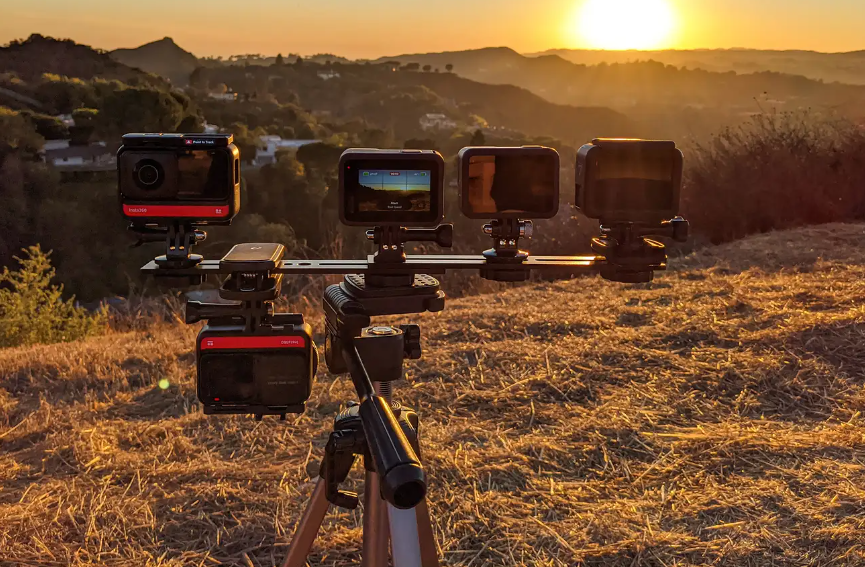
Before comparing camera specifications, think about which features genuinely matter for your content, streaming environment and chosen platform. This can save you from spending more on advanced technology you’ll rarely use or investing in a camera that lacks essential functions, forcing you to purchase additional equipment later.
Will you be broadcasting on YouTube, Kick, Facebook, Instagram Live, TikTok or Twitch? Perhaps you’re planning to reach several audiences simultaneously through a multistreaming service such as Restream. Whatever your preference, check the platform’s technical requirements and make sure your chosen camera and streaming setup can support the necessary resolution, frame rate and production workflow.
When it comes to image quality, resolution and frame rate are two of the most important considerations. For most streaming purposes, 1080p at 30 frames per second (fps) offers an excellent balance between picture clarity, smoothness and bandwidth efficiency.
However, if your content demands greater detail or you want the flexibility to crop footage without sacrificing too much image quality, a 4K camcorder may be worth considering. Recording or streaming at 50 to 60 fps can also deliver smoother motion, which is particularly useful for action-heavy broadcasts or presentations where the subject moves frequently. In these situations, dependable autofocus is another valuable feature, helping keep the subject sharp and in focus.
Keep in mind, though, that higher resolution isn’t always better for your audience. Their internet connections, devices and viewing capabilities can affect the streaming experience. Your own internet connection is equally important, particularly the available upload bandwidth.
As a general guide, a 1080p stream may require approximately 3 to 6 Mbps of video bitrate, while 4K streaming can demand around 15 to 35 Mbps or more, depending on the platform, frame rate and compression technology. You’ll also need additional upload bandwidth to maintain a stable connection.
Failing to balance video quality with your available bandwidth can lead to buffering, dropped frames and interrupted broadcasts. For the best results, check both your upload capacity and the platform’s recommended streaming settings before going live.
Connectivity deserves just as much attention. Along with USB and Wi-Fi capabilities for convenient streaming, consider cameras equipped with HDMI outputs. These allow you to connect external monitors, capture cards, switchers and other production equipment, giving you greater flexibility as your setup becomes more sophisticated.
And while sharp visuals are important, don’t underestimate the role of audio. Even the most impressive footage can lose its appeal if viewers struggle to hear what’s being said. A decent built-in microphone can be useful for simple setups, but an external microphone input offers much greater control over sound quality.
For professional productions, an XLR input or compatible audio adapter is particularly valuable, allowing you to connect higher-quality microphones and audio equipment. These capabilities are commonly available on professional camcorders and certain mirrorless or compact cinema camera systems.
The Camera Type
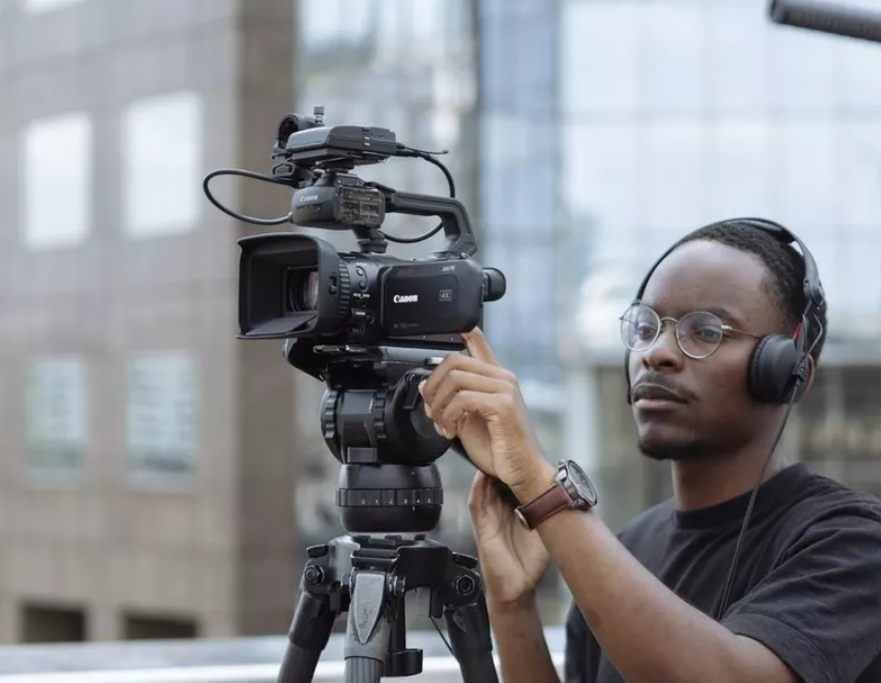
Choosing a camera from a reputable manufacturer is a good starting point, but brand recognition alone shouldn’t determine your purchase. While Sony and Canon are well-established names in the industry, other brands and equipment manufacturers, including PTZOptics, Marshall, Insta360, SmallRig and Proton, offer solutions worth exploring.
Rather than focusing solely on the manufacturer, consider your budget, technical requirements and the type of streaming you intend to do. Understanding the advantages of different camera categories can help you find a model that offers the best value for your needs.
USB Webcam
If you’re new to streaming or primarily create content from a desk, a USB webcam is one of the simplest and most affordable options. It’s particularly suitable for online meetings, tutorials, gaming streams and casual broadcasts where a complicated camera setup isn’t necessary.
Thanks to its plug-and-play design, a webcam can usually connect directly to your computer without additional capture hardware. Many models support popular broadcasting applications, offer flexible mounting options and deliver 1080p video quality that’s more than adequate for everyday streaming.
Although webcams generally have smaller sensors and can struggle in poorly lit environments, a quality model paired with suitable lighting can still produce impressive results.
Mirrorless Camera
For streamers looking to take their production quality to the next level, mirrorless cameras offer an appealing combination of image quality, versatility and creative control.
Their relatively large sensors can capture more light and detail, helping produce cleaner footage, particularly in challenging lighting conditions. Depending on the sensor and lens combination, they can also create attractive background blur that gives your broadcasts a more cinematic appearance.
Another major advantage is the ability to switch lenses. Whether you need a wide-angle view for studio broadcasts or a tighter composition for interviews, interchangeable lenses allow you to adapt your setup to different situations.
Add advanced autofocus, high-resolution recording and HDMI connectivity, and it’s easy to see why mirrorless cameras are a popular choice for content creators seeking professional-looking results. Just make sure the model supports clean video output, continuous power and extended streaming sessions.
Camcorders
When reliability, extended recording times and practical operation are priorities, camcorders are difficult to overlook. They’re particularly well suited to conferences, presentations, ceremonies and other live events where continuous coverage is essential.
One of their biggest advantages is the built-in optical zoom lens, which allows you to capture detailed footage from a distance without constantly repositioning the camera. This is especially useful when filming speakers on stage or subjects moving throughout a larger venue.
Many camcorders also offer effective image stabilisation, dedicated audio controls, practical handheld ergonomics and power options designed for longer recording sessions. These features make them a dependable choice for streamers who need consistent performance without frequent interruptions.
PTZ Cameras
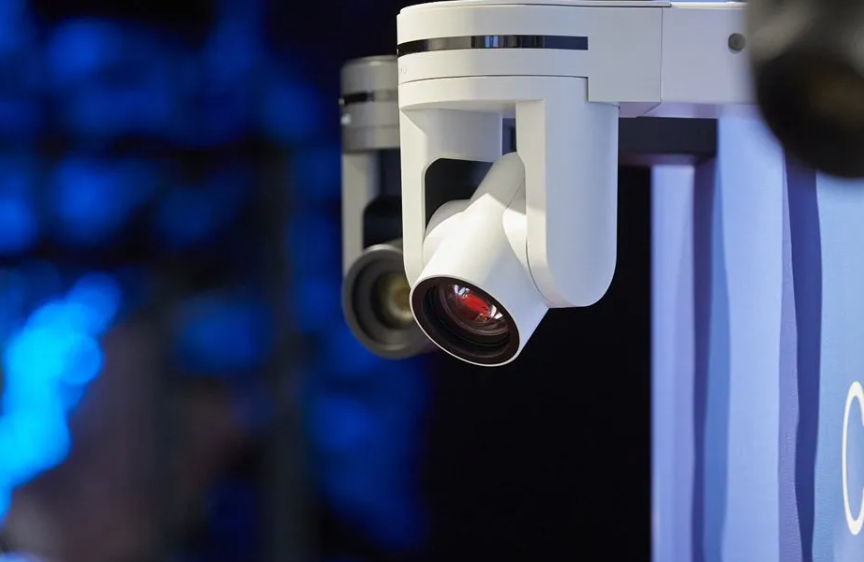
If your broadcasts involve changing camera angles or covering large spaces, PTZ (Pan-Tilt-Zoom) cameras offer a convenient and highly flexible solution.
As the name suggests, these cameras can pan horizontally, tilt vertically and zoom in or out, all through remote operation. This allows you to adjust the framing without manually handling the camera, making them particularly useful for conferences, lectures, religious services, corporate events and studio productions.
With multiple PTZ cameras, you can create a versatile multi-angle setup while reducing the need for additional camera operators. Many modern models also support smooth motorised movement, integration with professional streaming software and hardware, and advanced features such as automatic subject tracking.
Although PTZ cameras can involve a higher initial investment and a more complicated setup, their convenience, remote-control capabilities and flexibility make them worthwhile for demanding productions.
*This is a collaborative post. For further information please refer to my disclosure page.
Related Posts:
What a Dental Hygienist Does and Why It Matters for a Healthy Smile

Daily oral care is not just about emergency dental visits; it supports long-term oral health, wellbeing, and confidence. Understanding what Read more
Fun Presents to Get Your Friends and Family

Whether you are shopping for a birthday, a Christmas present, or just to treat your friend to something nice, it Read more
Here Are 12 Perfect Meal and Drink Pairings for In-Season Produce

It’s always exciting when your favorite veggies are in season again. This weekend, visit a farmer’s market after getting inspired Read more
Top Approaches to Managing Anxiety with Therapy

Every day, anxiety impacts people's lives and creates turmoil for them emotionally and mentally. However, therapy presents efficient strategies to Read more